The short answer
If the user should open AR immediately from a link, QR code, product page, ad, packaging, sales email, or event booth, WebAR is usually the better first move.
If the user will come back repeatedly, complete training, save progress, use a product library, work offline, or need a polished long-term tool, a native AR app is usually the stronger path.
If your team is still debating the platform, do not start with a full roadmap. Start with one prototype that proves whether AR helps the user understand, decide, learn, inspect, or act better than a normal website, video, or PDF.
Do not choose the platform before choosing the user moment.
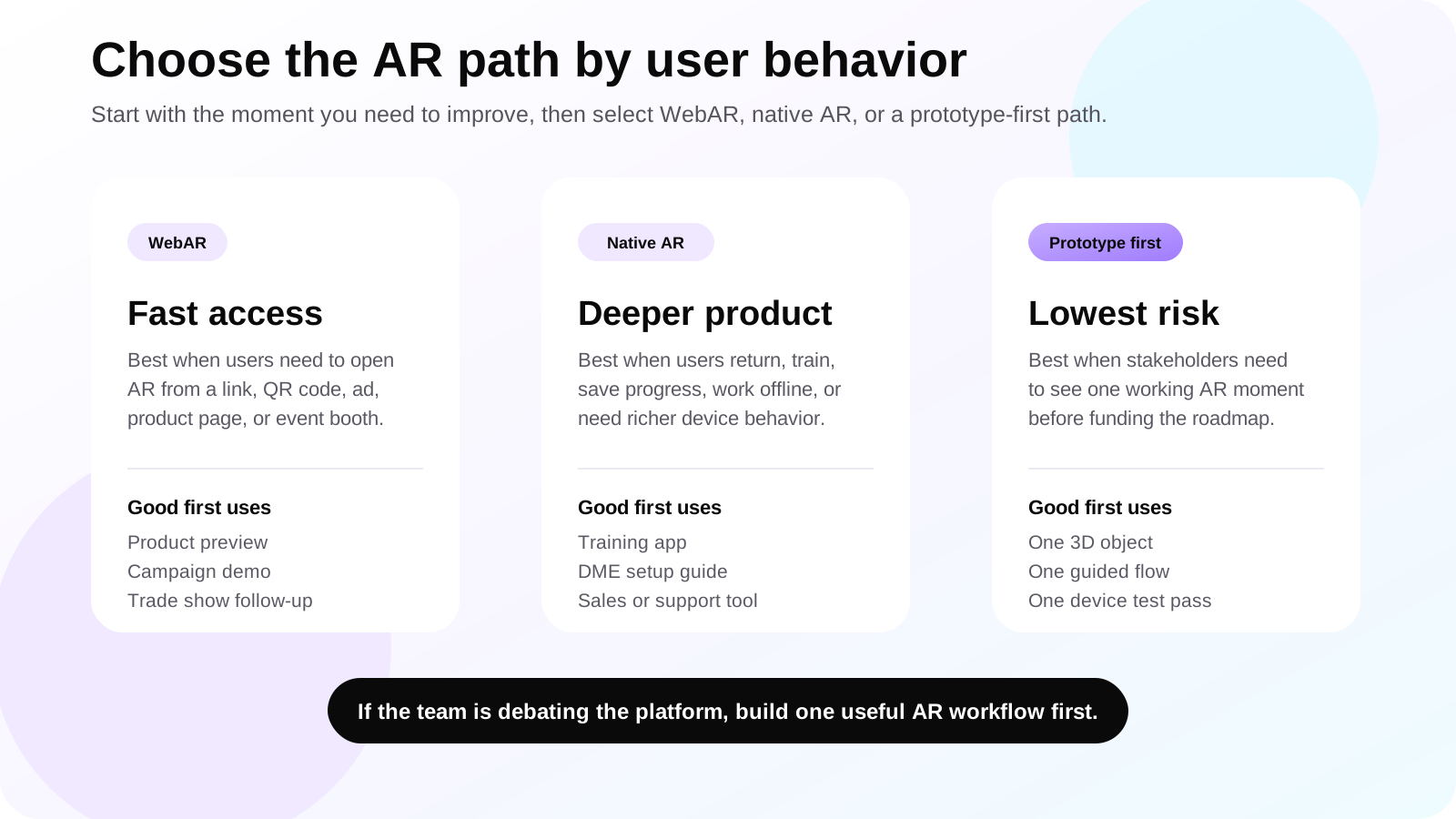
The right AR platform depends on the job: product preview, training, sales demo, support workflow, museum guide, classroom lesson, or campaign activation. Pick the moment first, then choose WebAR, native AR, or a hybrid path.
Quick decision table
Use this table when the team is deciding whether a browser-based AR experience or a custom mobile app fits the project.
| Option | Best fit | Watch-outs |
|---|---|---|
| WebAR | Fast access, QR campaigns, simple product previews, landing pages, events, trade shows, and early tests. | Browser support, tracking depth, performance, and advanced device access can be more limited than native apps. |
| Native AR app | Repeat usage, training, DME setup, education, enterprise tools, offline use, accounts, and richer interaction. | Requires app installation, app store planning, more product design, and deeper testing. |
| Hybrid path | Start with a WebAR or small native prototype, then expand into a full app after validation. | Needs clear scope control so the prototype does not become a full platform too early. |
Compare the platform decision with one working AR moment.
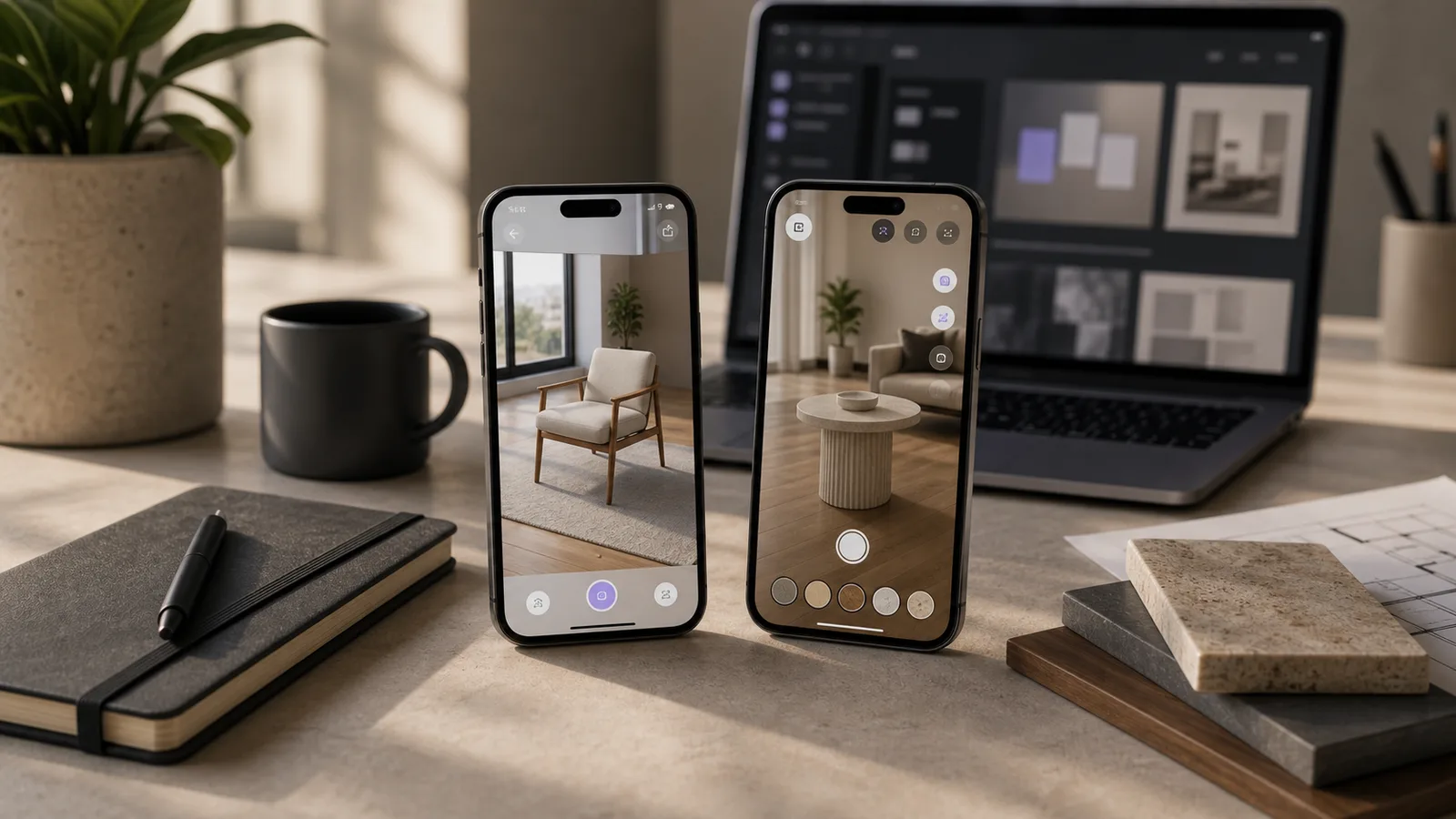
A small prototype can show whether the same idea feels better as a WebAR link, a native mobile flow, or a hybrid roadmap before you commit to the full build.
What is WebAR?
WebAR is augmented reality that opens through a web browser. A user might tap a link, scan a QR code, open a product page, or land on a campaign page, then start an AR experience without installing an app.
That low-friction entry is the biggest advantage. If the audience is new, cold, busy, or only likely to try the experience once, asking them to install an app can be too much friction. WebAR keeps the first interaction lighter.
WebAR is often a good fit for retail previews, packaging experiences, trade show demos, real estate or tourism teasers, educational landing pages, simple product visualization, and cold-email follow-up pages where the goal is to get someone to try AR quickly.
What is a native AR app?
A native AR app is built for iOS, Android, or both. It can use platform AR systems such as Apple ARKit and Google ARCore, often through a cross-platform workflow such as Unity AR Foundation when a shared build pipeline makes sense.
Native apps are usually stronger when AR is not just a marketing moment. If the user will return to the experience, complete training, save progress, access a product library, log into an account, use offline content, or interact with more complex 3D scenes, native development often gives the team more control.
The trade-off is friction. A native app needs installation, device support planning, app store preparation, updates, and a stronger product roadmap. That can be worth it when the AR experience becomes part of the business workflow rather than a one-time demo.
When WebAR is usually the better choice
WebAR is strongest when reach and speed matter more than deep app features.
Cold traffic and campaigns
A user can open the experience from an ad, QR code, email, or landing page without committing to an app install.
Simple product previews
Furniture, decor, packaging, small equipment, merchandise, and basic product models can often be previewed from the browser.
Events and trade shows
WebAR works well when visitors need a quick demo on their own phone and the team wants a shareable link afterward.
Early validation
If the business is testing whether an AR idea creates interest, WebAR can be a practical first step before a larger product build.
When a native AR app is usually the better choice
Native AR becomes more attractive when the experience needs to behave like a real product, not only a browser demo.
Training and education
Native apps can support modules, saved progress, richer interaction, device testing, and repeated classroom or workplace use.
Medical device and DME workflows
A custom app can support product libraries, approved setup steps, inspection flows, training modes, and support handoff.
Advanced interaction
Complex scenes, larger 3D models, performance-sensitive visuals, and deeper tracking often benefit from a native app.
Internal business tools
Sales teams, service teams, field staff, and trainers often need logins, data, offline content, or controlled app behavior.
AR use cases by business goal
The platform decision becomes clearer when the business goal is specific.
| Business goal | Recommended direction | Why |
|---|---|---|
| Let shoppers preview a product quickly | WebAR or lightweight prototype | The user can try it from a product page or QR code with minimal friction. |
| Train staff on repeatable procedures | Native AR app | Training often needs repeat use, progress, controlled content, and stronger testing. |
| Show DME or medical equipment setup | Native AR app or native prototype | Approved instructions, support flows, and product libraries usually need more app structure. |
| Launch a short marketing activation | WebAR | Campaigns need quick access, shareability, and low commitment. |
| Build a long-term AR product | Native AR app | A full product needs accounts, releases, maintenance, testing, and deeper UX planning. |
| Pitch an AR idea to stakeholders | Prototype first | A small build can prove the concept before the team funds the full platform. |
Questions to ask before choosing WebAR or native AR
These questions keep the platform decision tied to user behavior instead of technical fashion.
- Will users try this once, or return to it many times?
- Do users already know and trust the brand, or are they cold visitors?
- Is app installation acceptable for this audience?
- Does the experience need logins, saved progress, offline use, analytics, or a content library?
- How complex are the 3D models, animations, interactions, and tracking requirements?
- Which devices must be supported, and how old are those devices likely to be?
- Will the AR experience be part of sales, training, support, education, ecommerce, or a temporary campaign?
- What action should the user take after the AR moment?
Recommended prototype paths
These starter scopes make the buying decision smaller, easier to review, and easier to share with stakeholders.
WebAR launch test
Best for campaigns, product previews, packaging, events, and cold outreach. Build one browser-based AR scene, one lightweight interaction, and one clear next step.
Native AR workflow prototype
Best for training, DME setup, staff tools, education, and repeat use. Build one mobile app flow with a guided step, a 3D object, and device testing.
Hybrid decision sprint
Best when the team is split. Compare a quick-access WebAR entry with a native-style workflow so the roadmap is based on evidence, not guesswork.
Prototype handoff review
Best before a full build. Review usability, content, 3D quality, device behavior, and conversion path before expanding into a larger product.
Cost and timeline drivers
The cost difference between WebAR and native AR is not only about the technology. It depends on content, 3D assets, interaction design, user testing, backend needs, device support, and how polished the final experience needs to be.
A simple WebAR product preview can be much smaller than a native training app with accounts, progress tracking, analytics, a product library, multilingual content, and app store release. A native prototype can also be small if it focuses on one object, one user journey, and a few screens.
The safest planning approach is to define a first useful workflow. For example: one product preview, one setup guide, one classroom model, one museum exhibit, one sales demo, or one support checklist. That keeps the scope understandable and gives the team something real to test.
First prototype scope
A focused prototype helps the team choose WebAR or native development with less guesswork.
| Prototype item | Good first version | What it proves |
|---|---|---|
| User moment | One product, lesson, equipment workflow, or sales demo. | Whether AR is useful for the real customer problem. |
| 3D content | One optimized model or scene with clear scale and labels. | Whether the visual layer is understandable on mobile. |
| Interaction | Tap hotspots, rotate, place, step through, or replay guidance. | Which controls feel natural for the audience. |
| Platform test | WebAR link, native app build, or side-by-side comparison. | Which delivery method fits the user and business workflow. |
A small AR prototype can save the team from the wrong roadmap.
If you are not sure whether your project needs WebAR or a native app, start with one real workflow and test the experience on actual phones before planning the full product.
What to send and what you get back
A first AR conversation should not require a perfect technical brief. A few practical inputs are enough to shape a useful prototype.
| Input from your team | What Xentoro can prepare | Decision it helps |
|---|---|---|
| Product photos, CAD files, 3D model, brochure, or a simple reference video. | A mobile-friendly AR asset plan and first scene direction. | Whether the content is ready for WebAR, native AR, or needs 3D cleanup first. |
| The user moment: preview, train, inspect, learn, compare, sell, or support. | A focused user flow with screens, interactions, and CTA placement. | Whether the AR experience solves a real user problem. |
| Target audience and devices: customers, staff, students, caregivers, sales reps, or event visitors. | A platform recommendation with testing notes for likely phones and tablets. | Whether installation friction is acceptable or WebAR access matters more. |
Where Xentoro fits
Xentoro Studio helps businesses plan and build AR experiences across WebAR, native mobile AR, Unity, ARKit, ARCore, 3D asset preparation, product visualization, training, education, sales demos, and interactive web experiences.
The safest way to begin is small: define one user journey, choose the likely platform, prepare one 3D asset, design the mobile interaction, build a prototype, test it on devices, and shape the next phase based on what the prototype proves.
That makes the decision less abstract. Instead of debating WebAR vs native AR apps in a meeting, your team can review a real working experience and decide what deserves a full build.
FAQs about WebAR vs native AR app
Is WebAR better than a native AR app?
WebAR is better when instant access, browser links, QR codes, campaigns, and low friction matter most. A native AR app is better when the experience needs repeat use, stronger performance, accounts, offline access, saved progress, or deeper device features.
Does WebAR require an app install?
No. WebAR usually opens from a mobile browser through a link, QR code, landing page, or product page. That is why it is useful for campaigns and quick demos.
When should a business build a native AR app?
A native AR app makes sense when AR is part of a repeated workflow, such as training, DME setup, product education, sales enablement, field support, internal tools, or a long-term customer app.
Can a WebAR prototype become a native app later?
Yes, but the team should plan the transition carefully. A WebAR prototype can validate the user moment, while a later native app may need rebuilt interactions, optimized assets, accounts, analytics, and app-store planning.
What technologies are used for native AR apps?
Native AR apps commonly use Apple ARKit for iOS, Google ARCore for Android, and Unity AR Foundation when a cross-platform AR workflow is useful.
What is the best first step for an AR project?
Start with one user, one object or scene, and one clear job: preview, learn, train, compare, inspect, or decide. A focused prototype is easier to test than a broad AR platform idea.
Choose the AR path before paying for the wrong build.
Xentoro can help turn one product demo, training flow, educational moment, or customer support workflow into a focused WebAR or native AR prototype.