Start with one clear play loop
The best kids coloring apps do one thing clearly: they let a child make something. That simple loop can teach colors, letters, animals, shapes, confidence, and hand-eye coordination without feeling like a lesson.
For a custom kids app, the first version should not try to be a giant platform. It should start with one polished activity children understand in seconds: color the lion, solve the puzzle, count the objects, match the sound, or bring a drawing to life with AR.
That small, focused approach is easier to launch, easier to test, and easier for parents, schools, and activity brands to trust.
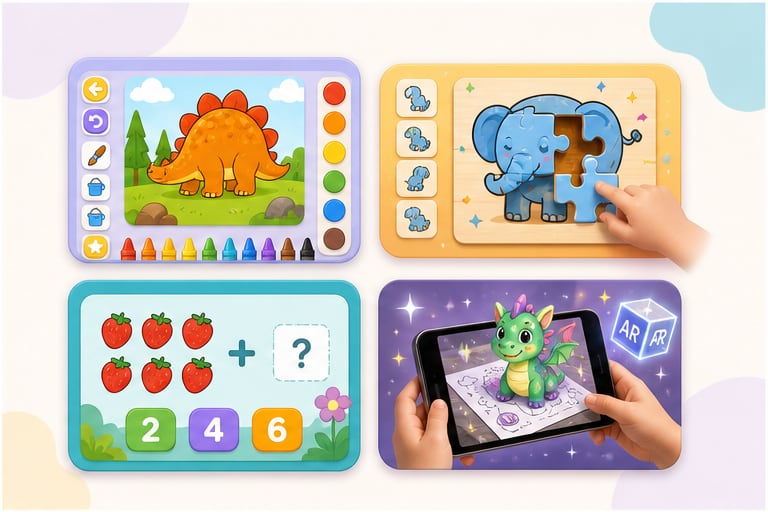
Kids activity app ideas that work well
These are strong starting points because they are easy for children to understand and easy for adults to explain.
Coloring book app
Great for alphabets, animals, shapes, seasonal pages, classroom themes, and calm creative play.
Puzzle game
Useful for logic, spatial thinking, drag-and-drop practice, and themed character challenges.
Math mini-game
Good for counting, addition, subtraction, number recognition, and quick reward loops.
Memory match game
Works well for vocabulary, animal sounds, letter matching, shapes, and visual focus.
AR coloring
A premium option where a colored character can appear animated through a phone or tablet camera.
What makes a kids coloring app feel safe and easy
Parents and teachers do not only care that the app is colorful. They care that children can use it without frustration.
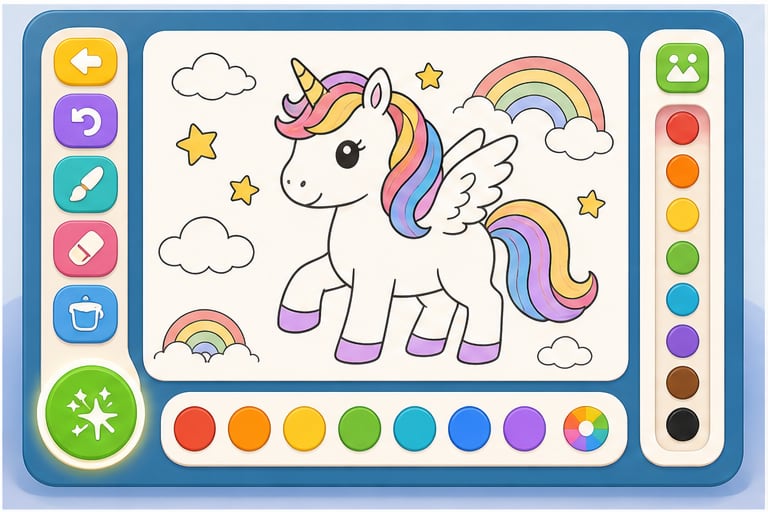
- Large touch targets so kids do not miss buttons or accidentally open the wrong panel.
- A small first palette with clear color choices, plus optional advanced colors for older kids.
- Undo and eraser controls that are easy to find because children experiment constantly.
- Simple page categories such as alphabet, animals, vehicles, shapes, food, seasons, and classroom themes.
- A save gallery so children can return to their finished work.
- Light sound effects that confirm actions without overwhelming the child.
- Optional guided prompts, such as Color the lion's mane or Find the letter L, to connect art with learning.
- Parent or teacher controls kept away from the main play area.
When a custom kids app makes sense
A custom kids app makes sense when a generic app cannot express your theme, audience, brand, curriculum, or business idea. A preschool may want coloring pages based on its own classroom characters. A toy brand may want a puzzle game around its mascot. A clinic may want a calm activity app for waiting rooms. A course creator may want math mini-games for a specific age group.
Custom does not always mean expensive or huge. A focused starter app can begin with one strong activity, a small set of art assets, a polished interface, and a clear parent or teacher goal. That is often better than trying to launch with ten game modes at once.
For Xentoro, the best starting point is a simple question: what should the child do in the first 30 seconds? Color a character, solve a puzzle, match a shape, count objects, trace a letter, or scan artwork into AR. Once that loop feels good, the app can grow.
Turn your characters, worksheets, or activity concept into a first playable version.
A small starter build can be enough to test the idea with parents, students, customers, or investors before you spend on a larger product.
Custom app scope options
These are practical ways to keep a kids app affordable while still making it feel professionally built.
| Scope | What it includes | Good for |
|---|---|---|
| Starter coloring app | One theme, 10 to 25 pages, basic tools, save gallery, mobile-friendly build | Schools, small brands, MVPs, parent-focused activity products |
| Learning mini-game pack | Coloring plus puzzle, matching, or simple math rounds | Educational startups, tutors, toy brands, kids content creators |
| AR coloring experience | Color a page, scan or select it, then see the character animate | Marketing campaigns, museums, events, premium learning products |
| Branded classroom app | Custom characters, teacher-friendly content, offline support, simple progress views | Preschools, activity centers, curriculum teams, local education businesses |
Fun game ideas we could build next
If coloring is only the first idea, these nearby concepts can become small but complete games.
- Alphabet coloring adventure: each letter unlocks a themed animal, object, and sound.
- Shape builder puzzle: kids drag shapes together to build houses, animals, cars, or robots.
- Counting garden: children plant, water, and count flowers while practicing numbers.
- Animal sound matching: match the animal, sound, and word in short rounds.
- Math treasure hunt: solve small addition or subtraction questions to open treasure boxes.
- Sticker story maker: kids choose backgrounds, characters, stickers, and short voice prompts.
- AR birthday coloring: a child colors a character, then it appears in a birthday scene.
- Local language learning game: match letters, words, and pictures in English, Urdu, Arabic, or another target language.
How a starter kids app build works
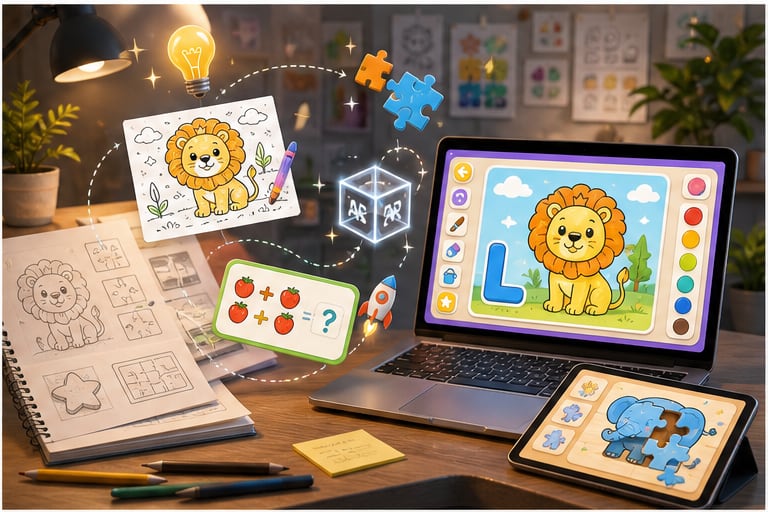
A focused first version keeps the project practical while still giving you something real to show, test, and improve.
1. Choose one activity
Pick the core loop: coloring, puzzle, counting, matching, tracing, story making, or AR scanning.
2. Prepare the artwork
Use your characters, worksheets, lesson theme, brand mascot, or new kid-friendly art created for the app.
3. Build the playable loop
Create the controls, game logic, sounds, save flow, and mobile-friendly interface around that activity.
4. Test and expand
Try it on phones or tablets, watch how children and adults use it, then add more pages, levels, or AR features.
Checklist before building a kids activity app
Before design or development starts, answer these questions so the app has a clear purpose.
- Who is the app for: toddlers, preschoolers, early primary students, parents, teachers, or a branded audience?
- What is the first activity: coloring, puzzle, matching, math, tracing, story making, or AR scanning?
- What should the child learn or practice?
- Will the app need custom characters, existing brand assets, voice-over, music, or printable pages?
- Should it run on web, Android, iOS, tablet, desktop, or inside an event kiosk?
- Does it need offline use, parent controls, teacher controls, analytics, or login?
- What should happen after the first version is launched: more pages, more levels, new themes, AR, or a full learning path?
FAQs about kids coloring apps
Are coloring apps good for kids?
Coloring apps can be useful when they are age-appropriate, calm, creative, and used with healthy limits. They should support creativity and learning rather than replace hands-on play, reading, conversation, and physical activity.
What age is a coloring book app best for?
Most simple coloring book apps fit preschool and early primary children, but the interface should match the age. Younger children need bigger buttons, fewer menus, simpler pages, and adult co-play.
Can Xentoro build a custom coloring book app for my school or brand?
Yes. Xentoro can build a custom kids coloring app around your characters, learning theme, classroom idea, brand campaign, or activity product. A starter version can stay focused on one polished activity before expanding.
What other kids games can be built besides coloring?
Good small-scope options include puzzle games, math games, matching games, alphabet tracing, sticker story makers, memory games, animal sound games, and AR coloring experiences.
How much does a custom kids game app cost?
Cost depends on scope, platform, artwork, number of activities, sound, animation, AR features, and publishing needs. A small starter coloring app or mini-game is usually the most affordable way to test the idea before building a larger product.
Build a small, polished kids coloring or learning game.
Xentoro can turn a kid-friendly activity idea into a playable app, from coloring books and puzzles to math games, AR coloring, and branded learning games.